Your offline-first second brain — notes, bookmarks & files.
Capture notes, bookmarks, and files into collections. Keep them private — or publish what you want from your own public profile. Works offline. Yours by default.
Free forever plan · No credit card required · Cancel anytime


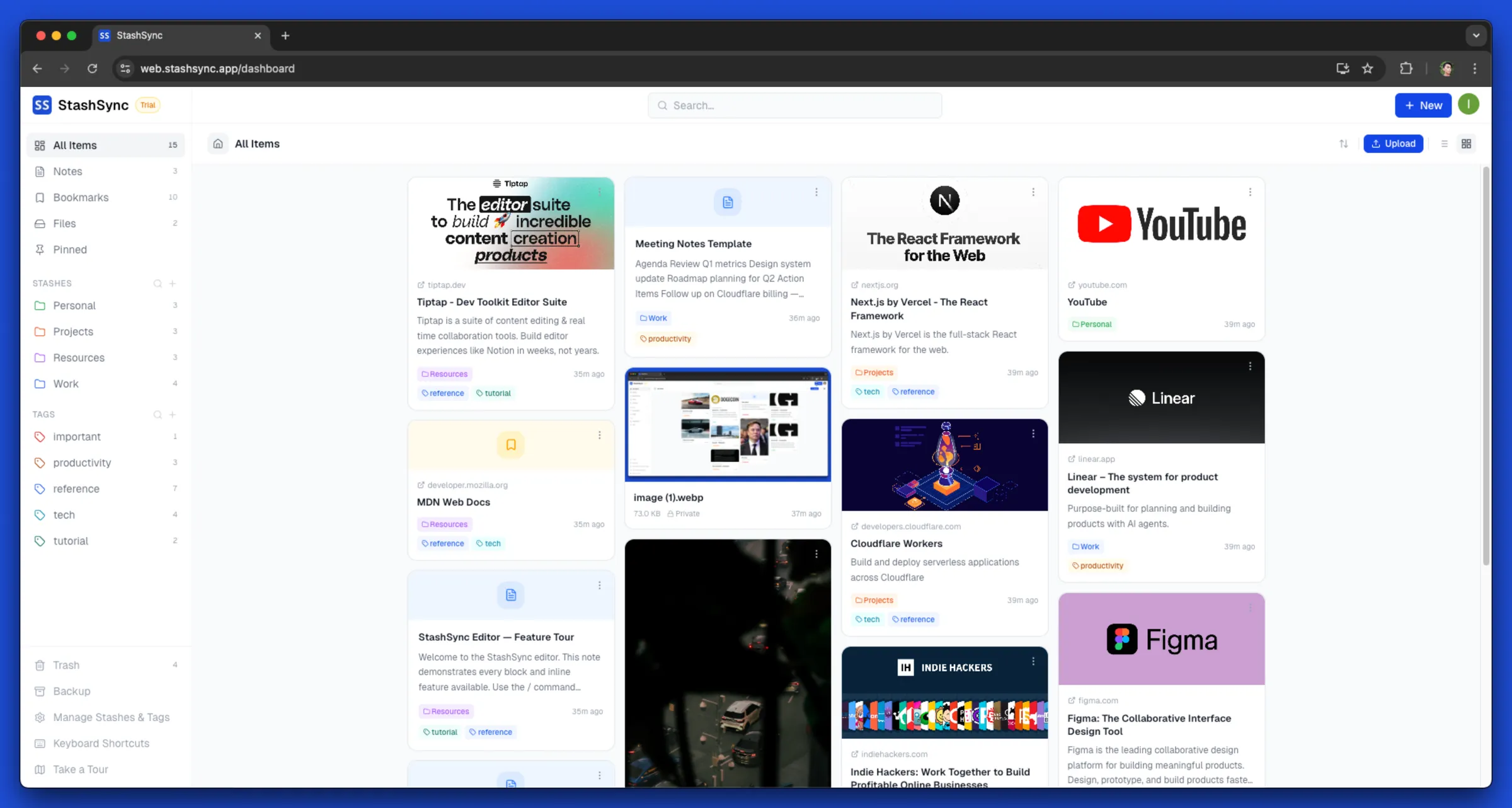
Notes, bookmarks & files — one offline workspace
Four ways to capture. One place to find them.
Stop juggling Notion, Pocket, Dropbox, and a folder app. Write notes, save links, store files, and group anything into Collections — all in one workspace that works offline.
Coming from Obsidian? See how StashSync comparesFor writing, thinking & planning
Notes
- Rich editor — checklists, tables, code blocks, callouts
- Export as Markdown anytime — nothing trapped
- Full-text search across your entire workspace
Save any link, forever
Bookmarks
- Save any website with title and preview in one click
- Tag and keep bookmarks alongside your notes
- Share bookmarks with expiring public links
Store & share your files
Files
- Upload & organise files in the same workspace
- Share files via one-click expiring download links
- Up to 100 MB per file, 10 GB total (Pro)
Group anything together
Collections
- Bundle notes, bookmarks, and files into one stash
- Share a whole collection with a single public link
- Pick exactly which items go public — control per item
Your corner of the internet,
on your own subdomain.
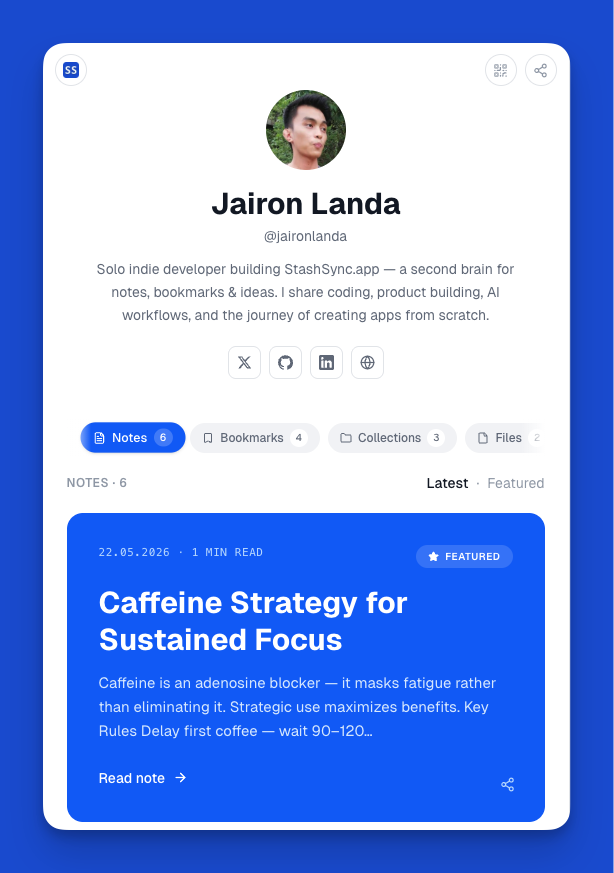
Turn your private stash into a personal home page. Publish a note, a reading list, a collection of files — and keep everything else private. You decide what's public, item by item.
- Claim your own subdomain — username.stashsync.app
- Toggle any note, bookmark, file, or collection on or off per item
- Custom theme, bio, social links — light or dark, your call
- Pin your best work to the top — your home page on the web
- Search-engine indexing is opt-in. Nothing leaks by default.
Who Is This For
Built for curious minds — whatever the field.
If you save things for later and can never find them again, this is for you.
Students
Take notes, save research links, and upload study materials — all in one place, always searchable.
Creators
Save inspiration, mood boards, and references — all in one searchable place you can access anywhere.
Professionals
Keep meeting notes, project docs, and important links organized — no more digging through emails and browser tabs.
Knowledge collectors
Build your personal knowledge base and find anything instantly — without subscriptions stacking up.
Developers
Organize docs, code snippets, and bookmarks without leaving your workflow. Export as Markdown anytime.
Built Differently
Everything you need. Nothing you don't.
Offline-first, open-format, and conflict-free — your workspace is always available and always yours, not rented from a server.
Works Offline, Always
Every note, bookmark, and file is stored locally using IndexedDB. Read, write, and search your entire workspace without a single byte of internet.
Sync Without Missing a Beat
Smart sync keeps all your devices in perfect agreement — no overwritten edits, no lost changes. Reconnects automatically when you come back online.
Your Data is Always Yours
Export notes as plain text files, bookmarks as a file any browser can import, or everything at once as JSON. Nothing is trapped. Your data goes with you — forever.
A Rich Editor for Real Work
Checklists, images, tables, code blocks, callout boxes, toggles, and more — in a clean, distraction-free editor that gets out of your way.
Notes, Bookmarks & Files Together
One workspace for everything you capture. Write long-form notes, save web pages with OG previews, and store files — all organized in a single place.
Organize Without Thinking
Collections, Tags, pin, bulk actions, and instant search (Ctrl/Cmd+K). Group anything, find everything, and reorganize across all item types in seconds.
Public Profile on Your Subdomain
Claim username.stashsync.app and turn any note, bookmark, file, or collection into a public page — pinned, themed, and indexable on your terms.
Granular Sharing & Expiry
Share a single note, a file, or a whole collection with one link. Set expiry to 24h, 7d, 30d, or never. Revoke anytime — your stash stays private by default.
The offline-first workspace for people who take their work seriously
Offline-first reliability, open data formats, and a workspace that grows with you.
Offline-First by Design
Your workspace works — with or without internet.
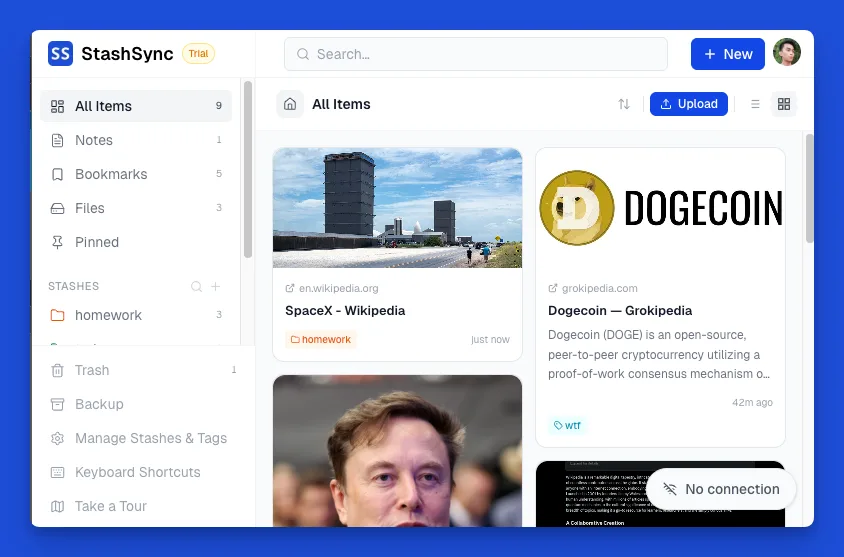
StashSync saves everything on your device, so every note, bookmark, and file is available the moment you open the app — no waiting, no spinners, no "you're offline" screens. Smart sync handles the rest, merging all your devices cleanly the moment you're back online.
- Full read and write access with zero internet connection
- Smart sync across all your devices — no duplicates, no lost edits
- Reconnects automatically on network restore or tab focus
- Install as an app — works like a native app on desktop & mobile
Smart Organization
Find anything in seconds. Clutter nothing.
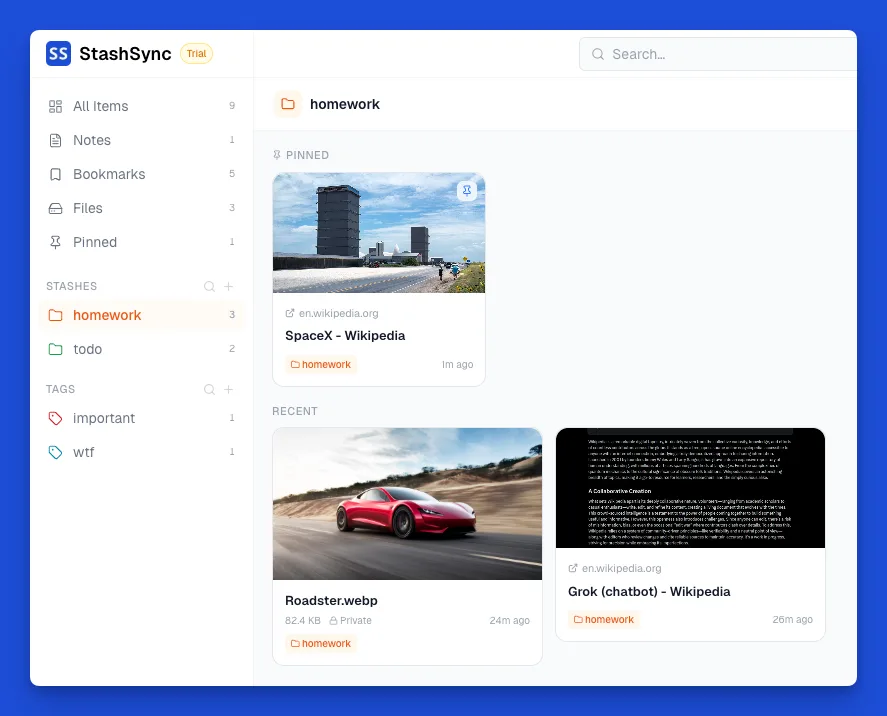
Collections are flexible folders you define. Tags cross-cut across notes, bookmarks, and files so one tag works everywhere. Pin your go-to items, bulk-select to reorganize at scale, and hit ⌘K to find anything instantly.
- Collections & Tags shared across notes, bookmarks, and files
- Command palette (⌘K) for instant search across everything
- Bulk move, tag, and organize multiple items at once
- Pin critical items for one-click access
Collections · Bundle & Share
One link. A whole stash.
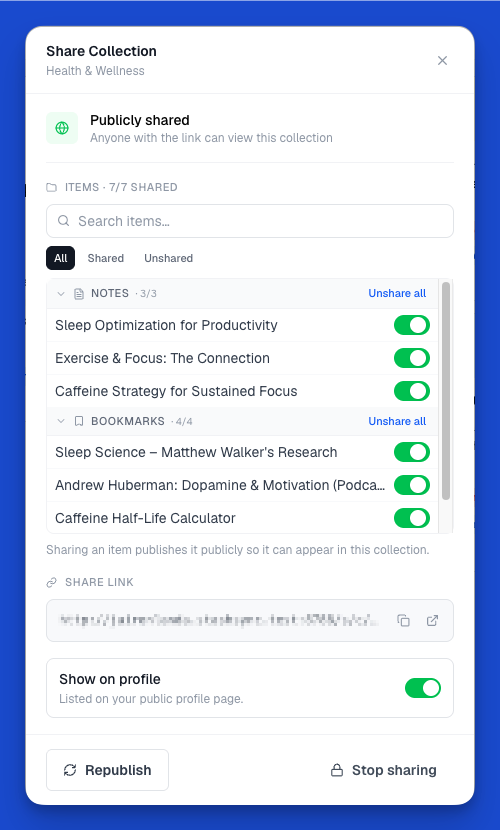
Collections let you group a note, a bookmark, and a file into one shareable unit — perfect for reading lists, project hand-offs, or course materials. Toggle each member item on or off without un-sharing the whole collection. Set an expiry. Revoke any time.
- Bundle notes, bookmarks, and files into a single share link
- Per-item public/private toggle inside the collection
- Optional expiry: 24h, 7 days, 30 days, or never
- Republish updates without breaking the link
Up and running in two minutes
No complicated setup. No data migration headaches. Just start writing.
Create your account
Sign up at web.stashsync.app in seconds. No setup, no migration required.
Capture everything
Write notes, save bookmarks, and upload files from any device.
Access from anywhere
Your workspace stays in sync across all your devices — online and offline.
Simple, honest pricing
Start free. No credit card. No lock-in. Your data is yours whether you pay or not.
Free
No credit card
Get Started Free- Up to 100 notes & bookmarks combined
- 5 MB file uploads
- 100 MB cloud storage
- Real-time sync
- Offline support
- Public profile on your subdomain
- Public share links with expiry
- MCP integration
- API access
Pro
$47.88 billed yearly
- Unlimited notes & bookmarks
- 100 MB file uploads
- 10 GB cloud storage
- Real-time sync
- Offline support
- Public profile on your subdomain
- Public share links with expiry
- MCP integration
- API access
- Priority support
Cancel anytime · Secure billing via Lemon Squeezy
Why This Exists
Honestly? I just need it to pay for itself.
I'm a developer. I built StashSync for myself — tired of paying for tools that scattered my stuff across five apps and locked it in formats I couldn't control. So I spent my nights and weekends building something better. Or at least, better for me.
There's no funding, no team, no enterprise plan subsidising the free users. It's just me and a monthly server bill. Every subscription goes directly toward keeping the app running, fixing bugs faster, and building whatever's next on my list. If it stops making sense financially, it stops existing. That's just the reality of a one-person project.
“If this thing is still running next year, it's because people found it worth paying for. That's the only metric that matters to me right now.”
I use StashSync every single day — that's not a marketing line. It means when something breaks, I feel it immediately. When something's slow, it drives me crazy. You can follow what I'm shipping on the changelog. I try to make it worth it.
Switching?
See how StashSync compares
Moving from another app? Here's an honest, side-by-side look at where StashSync fits.
New to the idea? Read the guide to local-first productivity or explore the developer API & MCP.
Frequently asked questions
Still have questions? Try it free and see for yourself.
Is StashSync.app really free to start?
Yes. The free plan is permanent once the trial ends, no credit card required. You get up to 100 notes and bookmarks combined, plus basic organization tools. Upgrade to Pro whenever you need more.
What does "offline-first" mean?
Everything you save is stored locally on your device using IndexedDB. You can read, write, and organize your workspace with no internet connection. When you come back online, StashSync.app automatically syncs changes across your devices.
Which items can I share publicly?
Notes, bookmarks, files, and whole Collections all support public share links. Each one gets its own toggle, an optional expiry (24h, 7 days, 30 days, or never), and a one-click revoke. Nothing is public unless you explicitly enable it.
What is the Public Profile?
An optional public home page at username.stashsync.app (or a /profile/[username] fallback). It lists the notes, bookmarks, files, and Collections you choose to feature. The profile is off by default — you turn it on, pick which items appear, customize the theme, and even opt out of search engine indexing.
How do Collections work?
Collections (formerly Stashes) are flexible folders that can hold notes, bookmarks, and files in one place. You can share a whole Collection with one public link, and toggle each member item on or off without un-sharing the rest.
How much storage do I get?
The free plan includes file uploads up to 5 MB per file. Pro users get 10 GB of cloud storage and can upload files up to 100 MB each.
Can I use StashSync.app on multiple devices?
Yes. Free and Pro users can access their workspace on multiple devices.
Can I cancel my subscription?
Anytime — no questions asked. You keep Pro access until the end of your billing period. Billing is handled securely through Lemon Squeezy.
What billing periods are available?
Weekly ($1.99/wk), Monthly ($5.99/mo), or Yearly ($47.88/yr — that's $3.99/mo, saving 33% vs monthly).
Is my data safe?
Your data is stored locally on your device and synced to Cloudflare's global edge network. We don't sell or share your data. You can export your notes as Markdown at any time.
What happens if I accidentally delete something?
Deleted items move to Trash. You can restore anything from Trash at any time — no data loss from accidental deletes.
Stop renting access
to your own ideas.
Start for free today. No credit card, no lock-in. If you ever leave, your Markdown files go with you.
Start free — no credit card, no setupAlready have an account? Sign In